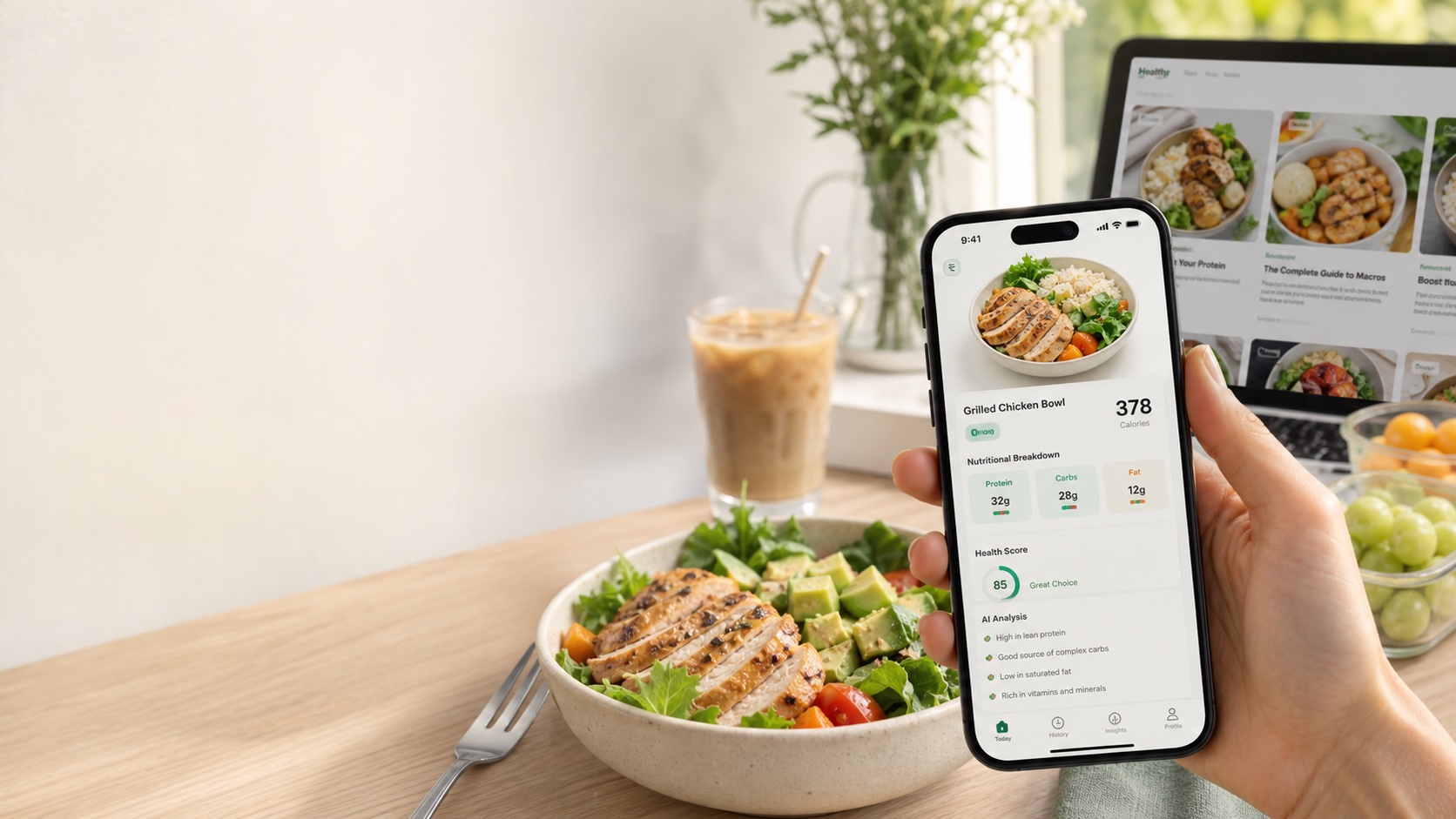
Key takeaways
- scan food for calories app is covered with a practical, meal-tracking lens rather than generic diet advice.
- Nutrition claims are written to be extractable by search engines and AI assistants: clear headings, tables, FAQs, and source notes.
- For real meals, photo-based tracking still benefits from visible portions and short notes about oils, sauces, and hidden ingredients.
The promise of a “scan food for calories” app is simple: take a picture instead of typing. That promise matters because typing is exactly what causes many people to give up on tracking.
But a serious calorie scan app should not pretend the camera knows everything. It should know enough to start the log quickly and show the assumptions clearly.
What the camera is actually doing
| Step | What the app infers | Why it matters |
|---|---|---|
| Food recognition | What foods are visible | Different foods map to different nutrition profiles |
| Portion estimation | Approximate size or volume | Portion is often the biggest calorie driver |
| Nutrition match | Likely database entry | Preparation changes calories and macros |
| Confidence check | Where the image may be unclear | Helps the user know when to review |
| User correction | Hidden oils, sauces, serving notes | Improves realism |
This is a strong workflow when the app stays transparent.
What camera-based tracking is good at
Food scanning is especially useful when the meal is visible and structured:
- rice or grain bowls
- eggs and toast
- salads with distinct toppings
- grilled chicken or fish with sides
- snack trays
- yogurt, fruit, and oatmeal bowls
These meals give the camera enough shape and color cues to produce a practical estimate quickly.
Where the camera has limits
Some meals hide too much:
- soups and stews
- burritos and wraps
- fried foods with unknown oil
- creamy sauces
- smoothies and blended drinks
- restaurant meals with hidden fats
The answer is not to give up. It is to use the scan as the starting point and add one small correction.
What makes a scan app trustworthy
A trustworthy scan app shows:
- calories
- macros
- visible ingredient assumptions
- warning signs or uncertainty
- a way to edit or add notes
Without that structure, scanning becomes novelty instead of a usable tracking tool.
Speed is the main advantage
The reason scan apps work is not perfect accuracy. It is speed. A fast estimate that keeps the user logging beats a perfect method that most people stop using after a week. That is especially true for busy lunches, restaurant dinners, snacks, and travel meals.
How LeanEat fits
LeanEat is built around this exact behavior. You snap the meal, review the structured output, and make a quick adjustment only if needed. That makes it a strong fit for users who want calories and macros without the friction of constant manual search.
Bottom line
A scan food for calories app is valuable when it reduces friction and stays honest about uncertainty. The camera can do a lot, but it cannot see every recipe detail. LeanEat fits this workflow by making the first estimate fast and the follow-up correction simple.
Frequently asked questions
Can an app scan food for calories?
Yes. A camera-based calorie app can estimate visible foods, likely portions, and nutrition data, then return a structured meal estimate.
What foods are easiest to scan?
Simple visible meals such as eggs, toast, rice bowls, salads, fruit, yogurt bowls, grilled proteins, and packaged-looking foods are usually easier to estimate.
What foods are hardest to scan?
Saucy dishes, soups, mixed casseroles, burritos, smoothies, and restaurant meals with hidden oils or unclear portions are harder because the camera cannot fully see the recipe.
Why do scan apps need user correction?
The image rarely reveals exact serving weight, recipe details, or hidden ingredients. Small user notes make the estimate much more realistic.
How does LeanEat work for calorie scanning?
LeanEat uses a food photo to estimate calories and macros, identify visible foods and ingredients, and return a structured result on iPhone.